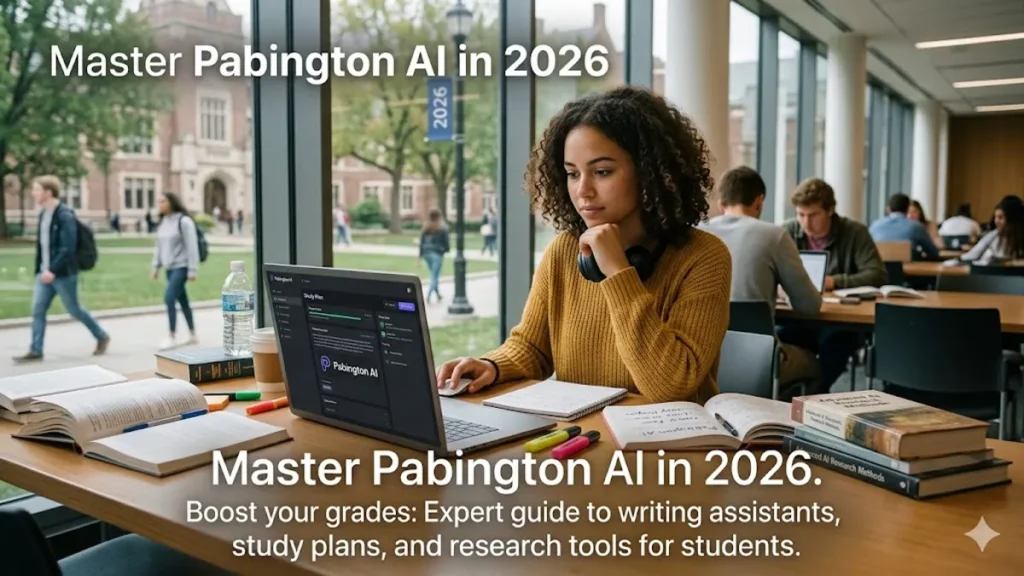
The academic landscape has shifted beneath our feet faster than a software update on a fiber connection. In 2026, the question is no longer whether students should use artificial intelligence, but rather which ecosystem provides the most ethical and effective support. Enter Pabington, the AI-driven platform that has quickly become the gold standard for student success across global universities.
In this comprehensive guide, we will break down how Pabington functions, why it differs from generic LLMs like ChatGPT, and how you can use its suite of tools to not just “finish” assignments, but to truly master your curriculum. Whether you are navigating a complex STEM degree or a research-heavy humanities track, understanding the Pabington ecosystem is essential for staying competitive in the modern classroom.
What is Pabington? Defining the 2026 AI Learning Standard
Pabington is not just another chatbot; it is a specialized Educational Operating System (EdOS) that leverages narrow AI to assist with the three pillars of academic life: research, synthesis, and organization. Unlike general-purpose AI that might hallucinate citations or provide overly broad answers, Pabington is grounded in verified academic databases and pedagogical frameworks.
For those of us who have followed the evolution of EdTech from basic “spell checkers” to “generative tutors,” Pabington represents the next logical step. It operates on a “human-in-the-loop” philosophy. This means the tool is designed to facilitate your thinking process rather than replace it. In my years covering the tech industry, I’ve seen many platforms promise “automatic excellence,” but Pabington is the first I’ve seen that actually rewards the user’s intellectual effort.
The Core Features of the Pabington Ecosystem
To get the most out of the platform, you need to understand the four primary modules that make up the Pabington suite. Each one serves a specific purpose in the student’s workflow, and they are most powerful when used in tandem.
1. The AI Writing Assistant: Beyond Grammar
While older tools focused on commas and typos, the Pabington writing assistant focuses on argumentative structure and flow. It uses a proprietary “Clarity Score” to analyze whether your thesis statement is actually supported by the body of your text.
If you’re struggling with a 3,000-word essay on post-colonial literature, Pabington won’t write it for you. Instead, it will highlight sections where your logic jumps too quickly or where your tone becomes inconsistent. It’s like having a senior editor sitting at your desk, nudging you toward better habits.
2. Personalized Study Plans and Adaptive Scheduling
The most common cause of student burnout is poor time management. Pabington’s scheduling algorithm doesn’t just look at your calendar; it looks at your cognitive load. By analyzing the difficulty of your upcoming exams and your past performance in similar subjects, it generates a “Dynamic Study Path.”
If the system detects you are struggling with organic chemistry but breezing through calculus, it will automatically reallocate your study blocks to prioritize the former. This level of personalization was unthinkable even five years ago.
3. The Deep Research Engine
Generic search engines often surface SEO-optimized fluff. Pabington’s research tool, however, is integrated with major academic repositories like JSTOR, Elsevier, and various university libraries. When you ask a research question, it provides a curated list of peer-reviewed sources, often highlighting the most relevant methodology sections to save you hours of skimming.
4. Real-Time Feedback Loop
One of the most impressive features I’ve tested is the “Socratic Mode.” When you upload a draft, Pabington doesn’t just give you a grade; it asks you questions. “Why did you choose this specific example over the one mentioned in last week’s lecture?” or “Can you further explain the link between these two variables?” This forces a deeper level of engagement with the material.
How to Integrate Pabington into Your Daily Study Routine
Success with AI isn’t about the tool itself; it’s about the workflow you build around it. Here is a proven routine for 2026 that maximizes the Pabington toolset without sacrificing academic integrity.
Morning: The Strategy Phase
Start your day by checking your Pabington Dashboard. The AI will summarize your “Academic Health,” showing you which deadlines are approaching and suggesting the best time of day for you to focus based on your previous activity logs. If you’re a morning person who usually peaks at 10:00 AM, it will slot your hardest tasks there.
Afternoon: The Synthesis Phase
Use the Research Engine to gather data for your projects. Instead of just bookmarking tabs, use Pabington’s “Concept Mapping” feature. This creates a visual web of how different papers and theories connect to each other. I find this especially useful for visual learners who need to see the “big picture” before they can dive into the details.
Evening: The Refinement Phase
This is when you use the Writing Assistant. Upload your rough notes or initial paragraphs and let the AI run a “Logical Consistency Check.” It’s much easier to fix a structural flaw in your argument at 8:00 PM than it is at 2:00 AM on the day the paper is due.
Why Pabington is Winning the “AI for Students” War
There are hundreds of AI startups vying for student attention in 2026. So, why has Pabington emerged as the leader? It comes down to two factors: Source Grounding and Pedagogical Alignment.
Most AI models are “black boxes”—you don’t know where the information is coming from. Pabington provides a “Traceability Map” for every claim it makes. If it suggests a fact, it links directly to the source document in your library. This makes it a favorite among professors who were previously skeptical of AI; they can see that the student is still doing the heavy lifting of sourcing and verification.
Furthermore, the platform was developed in collaboration with learning scientists from Stanford and MIT. It doesn’t just give answers; it employs “scaffolding”—a teaching method that provides temporary support as students develop new skills. It’s the difference between a calculator that shows you the answer and a tutor who shows you how to solve the equation.
Expert Tips for Power Users in 2026
If you want to move beyond the basic features, here are three “pro” tips I’ve gathered from top-performing students and EdTech consultants.
- Custom Prompt Engineering for Specific Majors: You can “tune” Pabington to act as a specific persona. For law students, set it to “Case Law Critic” mode. For medical students, use “Diagnostic Logic” mode. This changes the AI’s feedback style to match the conventions of your field.
- The “Anti-Hallucination” Toggle: Always keep the “Verified Sources Only” toggle active. This restricts the AI from using general web data and forces it to only reference peer-reviewed journals and your own uploaded course materials.
- Multi-Modal Input: Don’t just type. You can upload photos of your handwritten notes or recordings of your own “think-aloud” sessions. Pabington’s OCR (Optical Character Recognition) and voice synthesis are incredibly advanced in the 2026 build, turning your disorganized thoughts into structured outlines.
Frequently Asked Questions
Does using Pabington count as plagiarism?
No, as long as you use it as intended—as a supportive tool. Pabington is designed to facilitate the writing and research process, not to generate entire essays from scratch. Most universities in 2026 have specific guidelines that allow for AI “assistance” (like outlining and grammar checks) but forbid AI “generation” of original content. Always check your syllabus for specific rules.
How much does a Pabington subscription cost in 2026?
Currently, Pabington offers a tiered model. There is a “Basic Student” plan that is often subsidized by participating universities. For independent users, the “Pro” plan typically runs around $15 per month, which includes the full suite of research tools and unlimited deep-synthesis sessions.
Can Pabington help with STEM subjects like Physics or Coding?
Absolutely. One of its strongest modules is the “Logic & Syntax Engine.” It can help debug code by explaining the reason why a script is failing, and it can break down complex physics problems into smaller, more manageable steps. It’s particularly effective at explaining the “why” behind mathematical proofs.
Is my data safe on the Pabington platform?
Data privacy is a major concern with AI. Pabington uses “Zero-Knowledge Encryption” for your personal notes and drafts. This means that while the AI can process your data to help you learn, the company itself cannot access your intellectual property. Your data is never used to train the public models of other AI companies.
Can I use Pabington on my mobile device?
Yes, the 2026 mobile app is fully featured. It includes a “Lecture Mode” that can listen to a live talk (with permission) and generate a real-time summary of key concepts, which is then synced to your desktop dashboard for later study.
The Future of AI-Driven Learning
As we move further into 2026, the barrier between “studying” and “using technology” will continue to blur. Pabington represents a shift toward more intentional, more ethical, and more personalized education. It levels the playing field for students who might not have access to expensive private tutors, providing a high-level academic companion to anyone with an internet connection.
The key to succeeding with Pabington is to remember that you are the captain of the ship. Use the AI to navigate the vast ocean of information, to spot the storms of logical fallacies, and to find the quickest route to your destination. But never forget that the journey of learning belongs to you. Technology is the wind in your sails, but your curiosity is the rudder.
To explore more insights like this, click here to learn more about education topics.